2d shadow casting in LÖVE
Recently, with all the crazy stuff happening in the world, I decided to play around with something fun for a change. I can't control the outside world, but at least I can control what I do for fun. Which is why I decided to play around with LÖVE2D. It's a, really easy to pick up, game development framework based on top of a couple of C libraries (e.g. SDL) and exposed using Lua (via luajit). As the name suggests, LÖVE is great at 2d and this is what I'm going to stick with for now.
The first thing I decided to implement is 2d lights/shadow casting. To be honest, nothing I will write here will be new or groundbreaking - this is an old technique. In fact, it was already explained probably countless of times, and I can recommend this explanation. Having said that, what better way to build your own understanding than to explain the concept yourself?
First, let's see the completed thing.
As you can see, there is a light source which is in the center of a spot light. And there is some geometry that blocks the light.
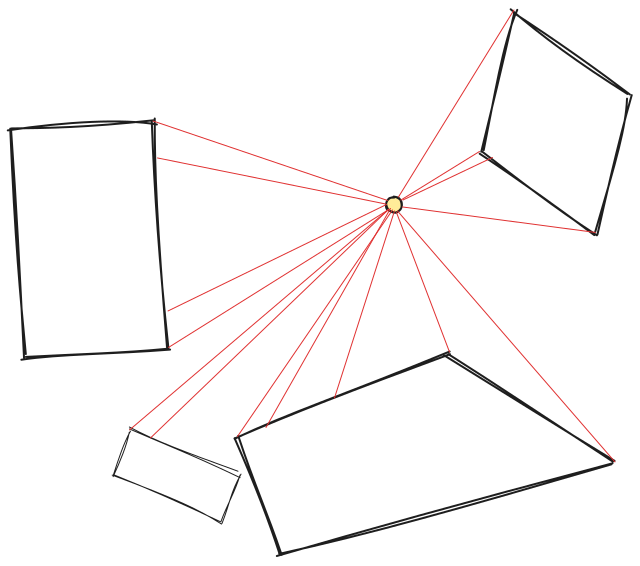
The first thing we need to do is to cast rays from the light's center to all the vertices of the shapes.
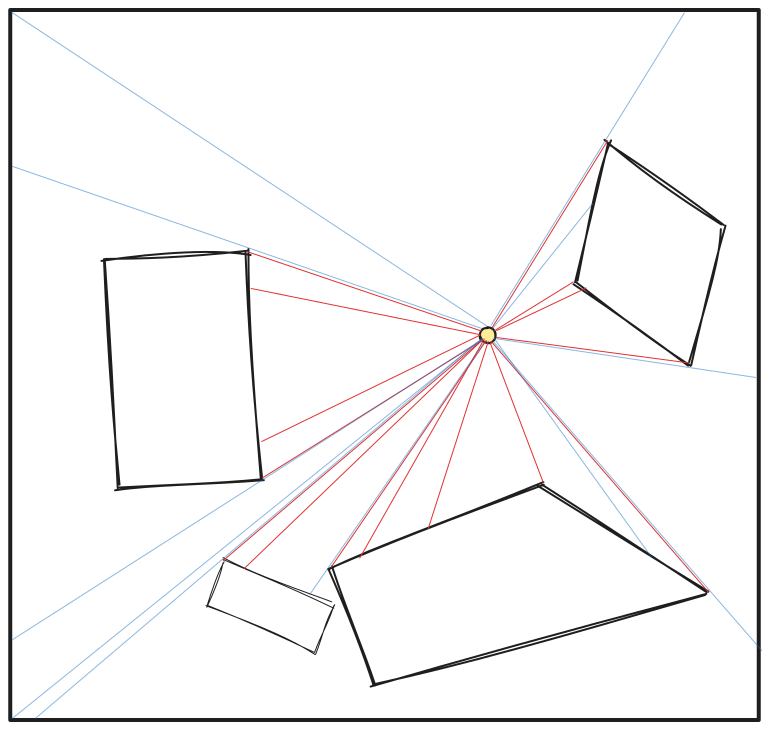
The problem is that the rayscast now terminate on the vertices. This means we know where the light stopped, but don't know where the light continued. We could cast random rays, but it would take a lot to get a good result. The hack here is to use existing rays as starting points and create new rays based on them. For each existing ray, we will create two new rays - one slightly to the left, and one slightly to the right. At least half of them will hit the same shape, but the rest will pass by it and continue to hit further shapes (or reach the scene border). Here, I've marked only the new and interesting (those that hit a different shape or the border) rays with blue.
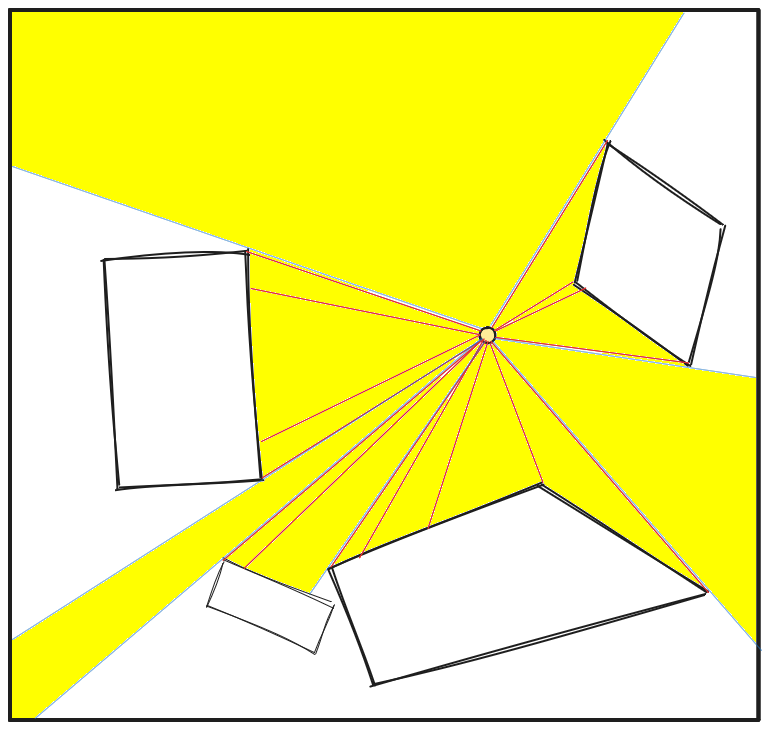
The final step is to sort the rays by angle and collect hitpoints from all the sorted rays. This produces a shape covering all points which are visible from the light source.
The only thing that's left to make it look like a light is to mask out the pixels out of range of the light. This can be done with a stencil buffer or a simple shader.
Finally, a version with tiny game mechanics and some cosmetic changes (source):
back